
Nano Banana Image Editor
The Nano Banana image editor changes one part of your photo from a one-sentence instruction and aims to keep the rest. Try it with three free images, no sign-up.
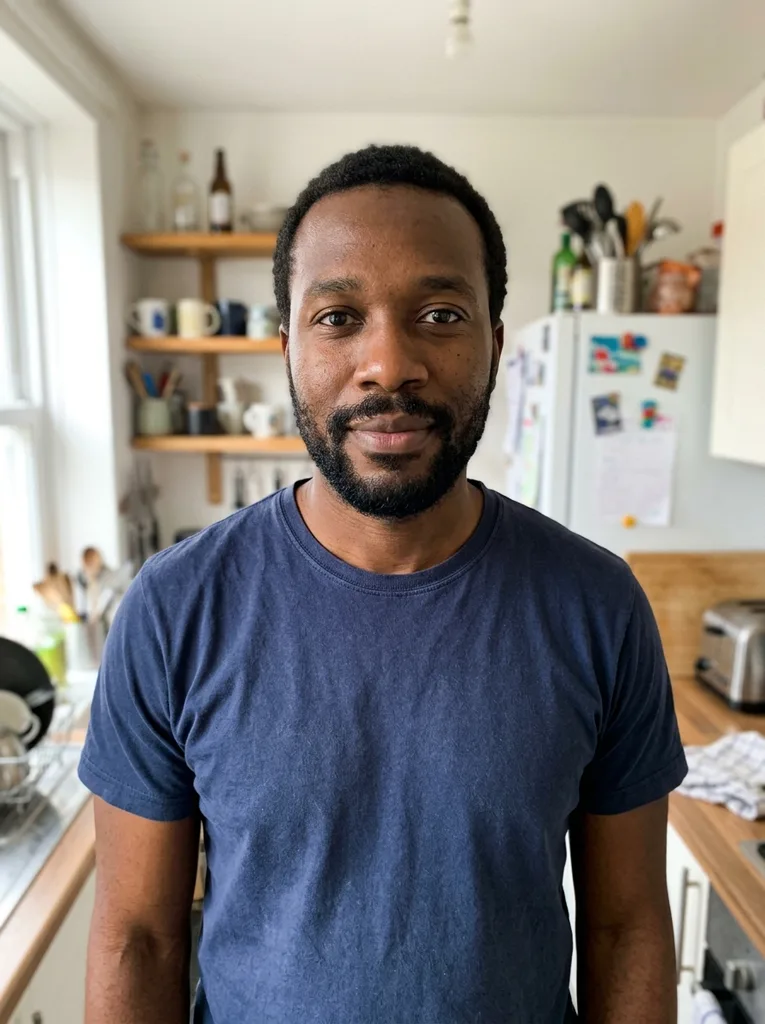 Before
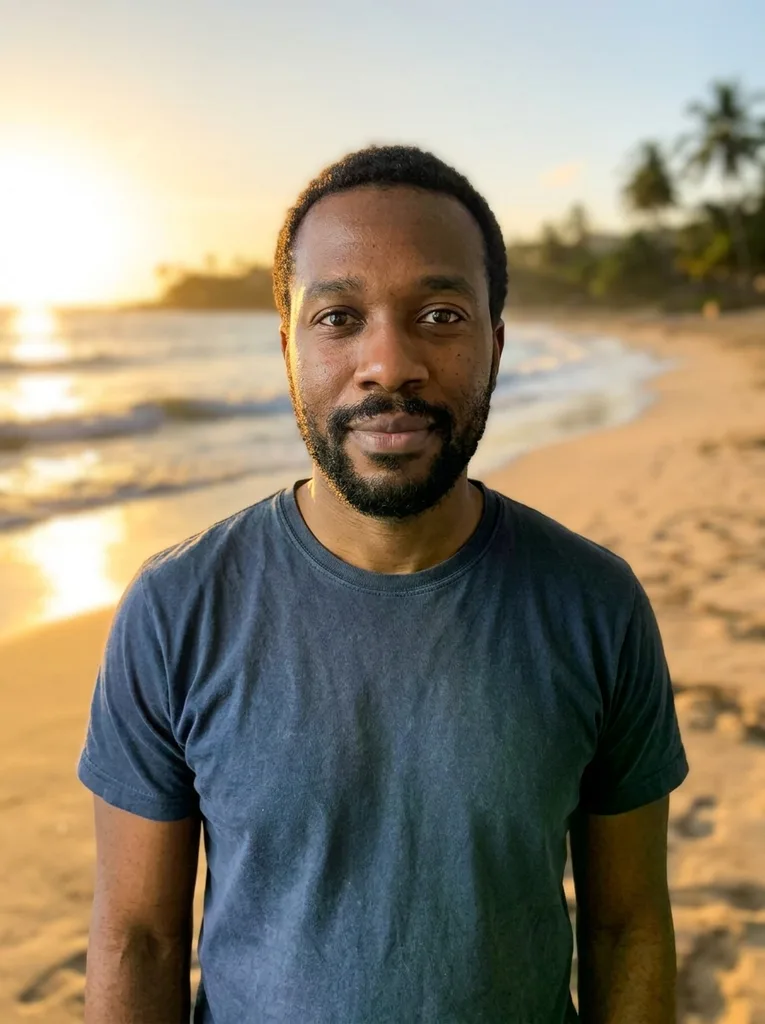 After
Example result. Describe your image to make yours.
Examples
BeforeAfterWhat you can do with the Nano Banana image editor
Each edit below is a one-sentence instruction; name the change and where it applies.
Swap the background
Try "replace the background with a sunny beach". A time of day and a kind of light help the new place match your subject.
Remove people or objects
Try "remove the people in the background". Say what goes and where it is in the frame. Removing one thing per instruction is easier to check.
Change clothes or colors
Try "change the jacket to a red leather jacket". Name one item and its new color or material.
Restyle the whole photo
Try "turn it into a watercolor painting" or "make it a snowy winter evening". Style and season changes apply to the whole picture.
Add a sign or a caption
Try adding a neon sign that reads "Open Late". Put the words in quotes; check the spelling in the result.
Product photos
Move a bottle or a mug onto marble, wood or a plain backdrop. Compare labels and logos with your original before you use the image.
How to use the Nano Banana image editor
Three steps, and the only thing you type is the instruction.
- 1
Upload one photo
Drop in a JPG, PNG, WebP or HEIC up to 10 MB. The editor takes one photo; picking another replaces it.
- 2
Write what to change and what to keep
One change at a time works best, for example "replace the background with a sunny beach, keep the person the same". Or click one of the six ideas to fill the box. Keep it under 2,000 characters; shorter and more concrete usually reads better.
- 3
Press Edit Image, check and download
An edit can take a few minutes. Compare the result with your original, then press Download.
Why use this Nano Banana image editor
Four things this editor does, and one thing it does not.
Words instead of brushes
There are no masks, layers or selections. You describe the change and the editor finds the part of the photo it applies to.
Asks to keep the rest
The editor is asked to change only what you name and keep faces, pose and composition. In our test a selfie got a sunny beach background and the person looked unchanged.
Quoted words become text
Words you put in quotes are asked to be drawn exactly as written, like a neon sign that reads "Open Late". Check the spelling every time.
Free to try, no sign-up
Every visitor gets three free images for life, shared across our image tools and made at 1K. After that the page asks you to sign in and use credits.
Edits by text only
There is no upscaler, no transparent-PNG export and no batch mode. It does one thing: one photo, one instruction, one edited image.