Nano Banana Video: turn any photo or prompt into a short AI videoCreate a Video

Your photo

For the best result
  • Photo 1 is the face: one person, face clear, front-facing and well lit
  • Photo 2 is the target: the person in it gets the face from photo 1, and everything else stays
  • No sunglasses, masks or hands in front of either face
  • A similar head angle in both photos gives the most natural swap
  • Only use photos of yourself or of adults who agreed to it
0/300

Free to try, no sign-up

Nano Banana Face Swap

Nano Banana face swap online: upload a face and a target photo, and the face from photo 1 goes on the person in photo 2. Try it with three free images.
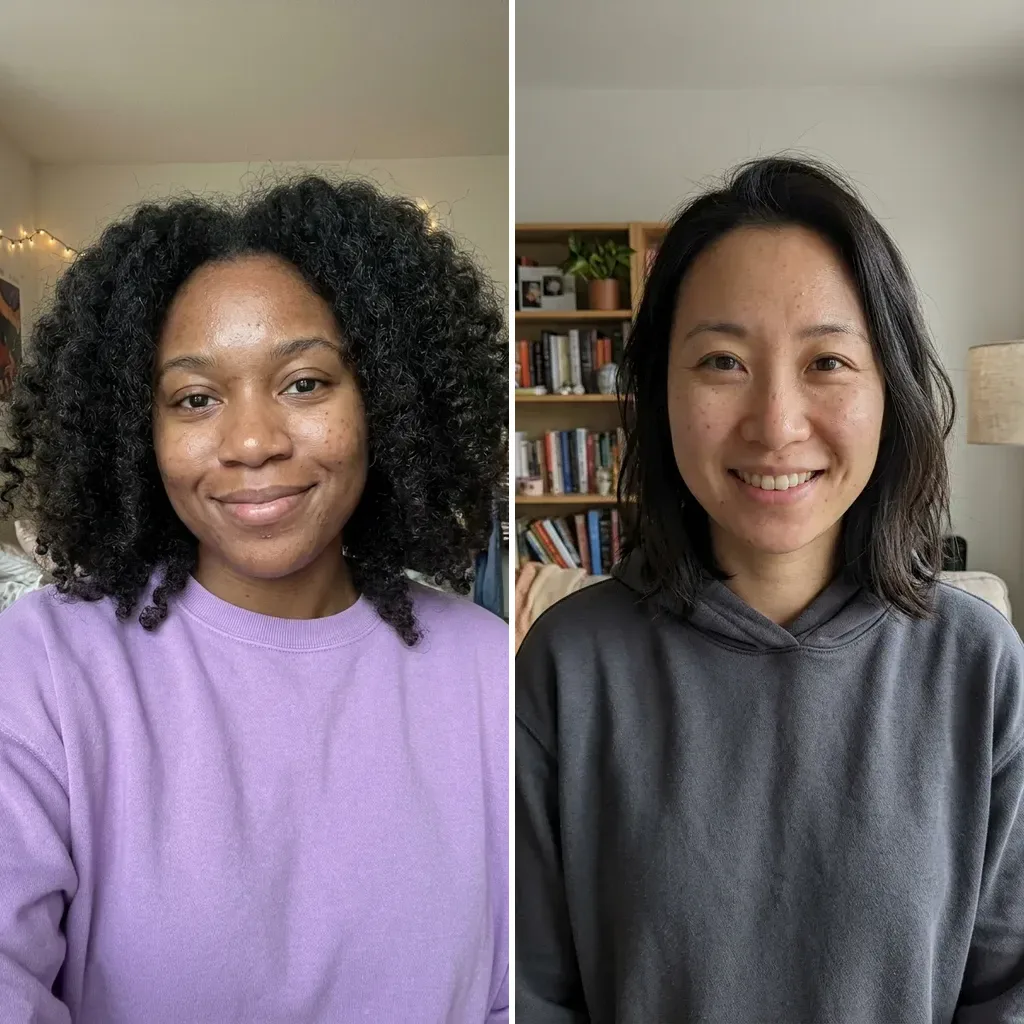
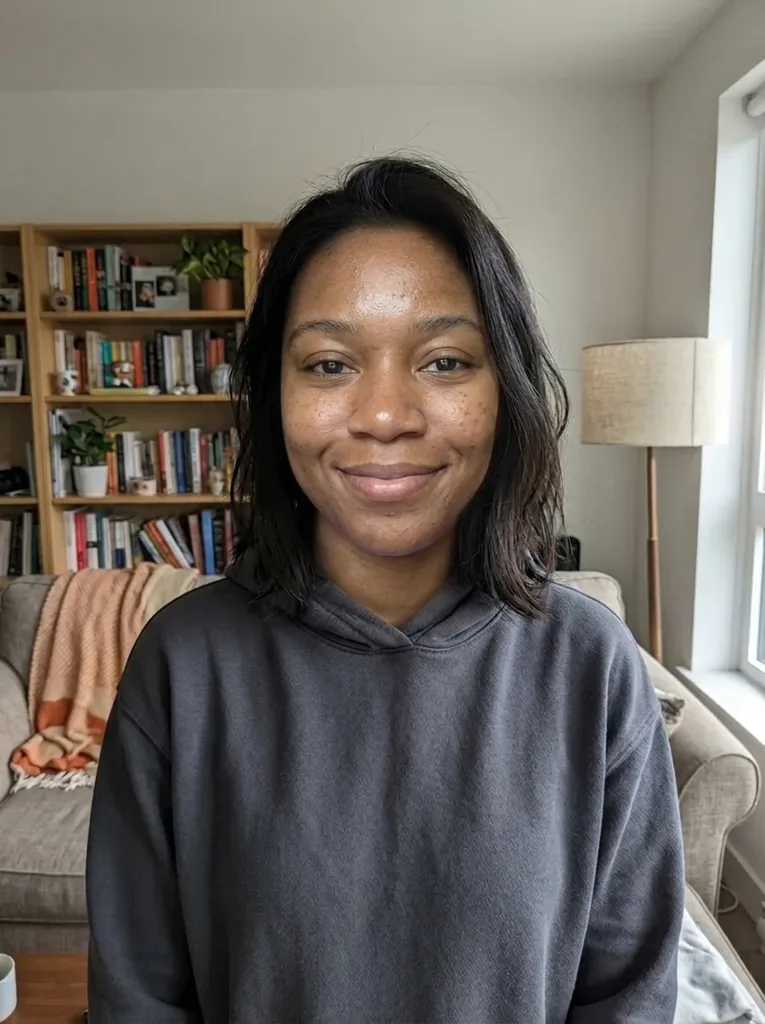
Original photo: Nano Banana face swap: the face of the woman in photo 1 on the woman in photo 2, her hair, hoodie and room keptBefore
Nano Banana Face Swap result: Nano Banana face swap: the face of the woman in photo 1 on the woman in photo 2, her hair, hoodie and room keptAfter

Example result. Upload your photo to make yours.

Examples

Original photo: Nano Banana face swap: the face of the woman in photo 1 on the woman in photo 2, her hair, hoodie and room keptBefore
Nano Banana Face Swap result: Nano Banana face swap: the face of the woman in photo 1 on the woman in photo 2, her hair, hoodie and room keptAfter

How the Nano Banana face swap works

The Nano Banana face swap needs two photos and no prompt.

  1. 1

    Upload the face as photo 1

    Pick a clear, front-facing photo of one person. This is the face that ends up in the result. A well-lit photo works better than a dark one.

  2. 2

    Upload the target as photo 2

    This is the picture you want to change. Its person gets the new face; the hair, expression, clothes, background and light are what the swap aims to keep.

  3. 3

    Swap, check and download

    Press Swap Face. A run can take a few minutes. Compare the result with photo 2, then download it.

Nano Banana face swap checklist for natural results

Check these before you press Swap Face.

  • Put the face first and the target second: the upload order decides whose face is used.
  • Show one person, front-facing and well lit, in photo 1.
  • Keep sunglasses, masks and hands away from both faces.
  • Choose photos where the head angle is similar, such as two straight-on shots.
  • Use sharp, high-resolution photos: blurry sources give blurry faces.
  • Add a short note for details, such as keeping the glasses from photo 1, up to 300 characters.

Nano Banana face swap: free, private, honest limits

  • What is free

    Trying it costs nothing: no sign-up, no email, for life. The free allowance is shared with the other image tools on this site. After it, you sign in and use credits, which are not on sale yet.

  • What happens to your photos

    Your photo is only used to create your videos and images and is never used to train AI models. On request we delete them. The photos and note also go to the Google model that makes the image, which may keep them for a limited time.

  • Consent and age

    Use only photos of yourself or of adults who agreed. The site is for people 18 and over, and photos of anyone younger are not allowed.

  • What it does not do

    It swaps one face onto one person per run. It does not swap faces in a video or several faces in a group photo. The result is AI output, so check it against both photos. Photo 2 keeps its own hair, so a different hairstyle in photo 1 does not carry over.

Frequently asked questions

Photo 1, the first one you upload, gives the face in the Nano Banana face swap. Photo 2 is the target: its person gets that face while its hair, expression, clothes, background and light are what the swap aims to keep. Swap the order and you get the other person's face.

Yes, to try: every visitor gets three free images at 1K, for life, with no sign-up. The allowance is shared with the other image tools on this site. After that you need an account and credits, and credits are not on sale yet. Free images are 1K, and you cannot pick a model, size or shape: the swap uses Nano Banana 2 and sets the shape automatically.

It is built to, but it is not guaranteed. In our test, one woman's face on another woman's photo kept the second photo's hair, hoodie and room. Compare the result with photo 1 before you use it. If it drifts, try a sharper, more front-facing face photo and run the swap again once you have a free image or credits left.

Usually the two photos disagree: different head angles, harsh light against soft light, or a blurry or low-resolution face. Use sharper photos with a similar angle and light, and remove sunglasses and hands from the faces before you upload them again. The optional note can also ask for a detail, such as smiling, up to 300 characters.

The Nano Banana face swap here puts one face onto one person, so it works best when photo 2 shows a single person. It does not swap several faces in a group photo, and a face from a third photo is not possible.

No. This tool works on two still photos and gives one image per run. Nano Banana face swap on this page is photos only; there is no video face swap.

Use only photos of yourself or of adults who agreed. Photos of anyone under 18 are not allowed.

Your photo is only used to create your videos and images and is never used to train AI models. We store uploads so the result can be made and delete them on request. The photos go to the Google model that creates the image, which may keep them for a limited time.

No. Nano Banana face swap has no transparent-PNG export. You download one image with its background, and our tested download was a JPEG.

It can take a few minutes, depending on the provider's queue. One real run took about six minutes from pressing the button to the image. If a run fails, it says so and is not counted against your free images or credits.

We claim no ownership of your results, but we make no promise about commercial use. It depends on the terms of the model provider, so read them before you use a swapped image in a business project.